
Settings
How do I choose a light or dark theme for the app? No. 19
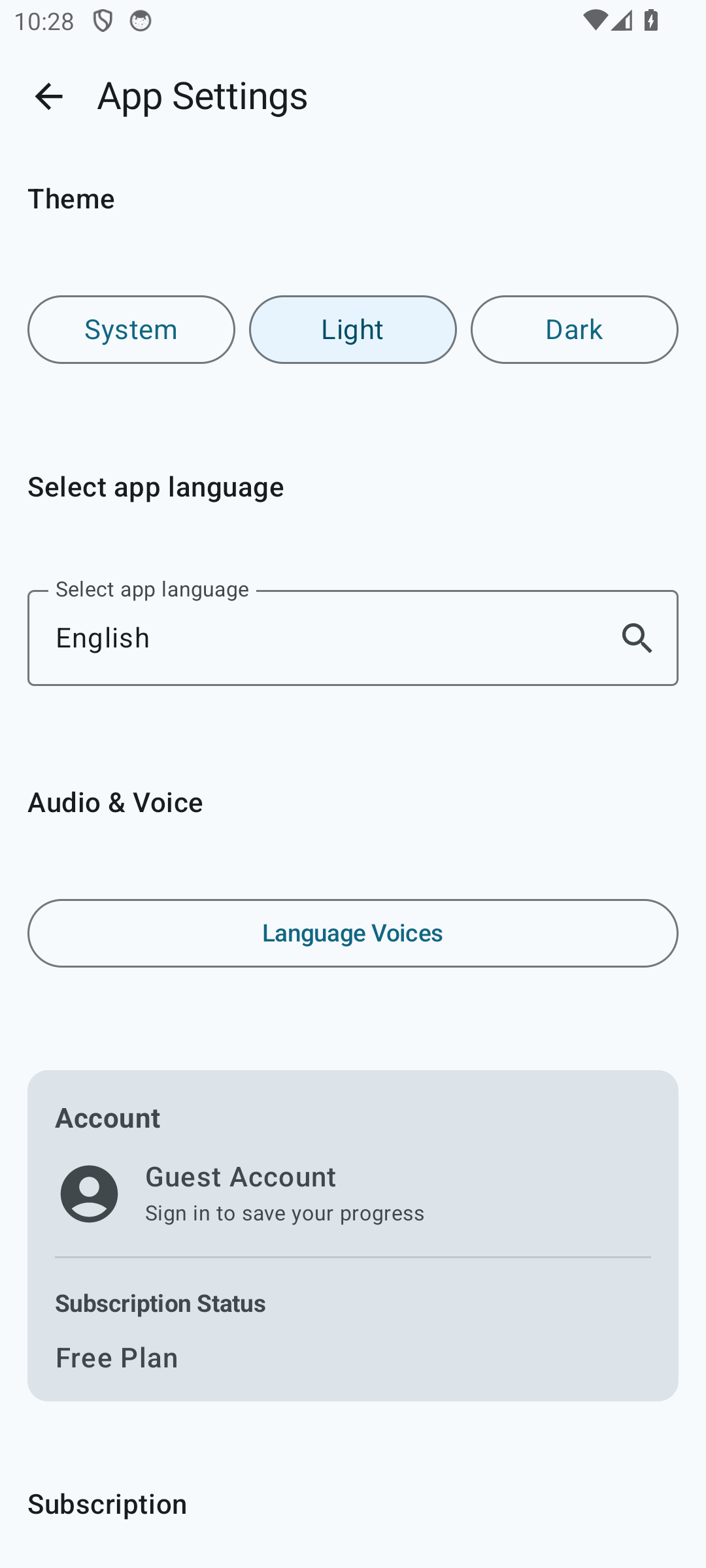
- Open the menu (three dots on the home screen) → “Settings”.
- In the “Theme” section, choose one of the options:
- Light — always the light theme.
- Dark — always the dark theme.
- System — follow the Android setting.
Changes apply instantly — no app restart is required.
How do I change the app’s interface language? No. 20
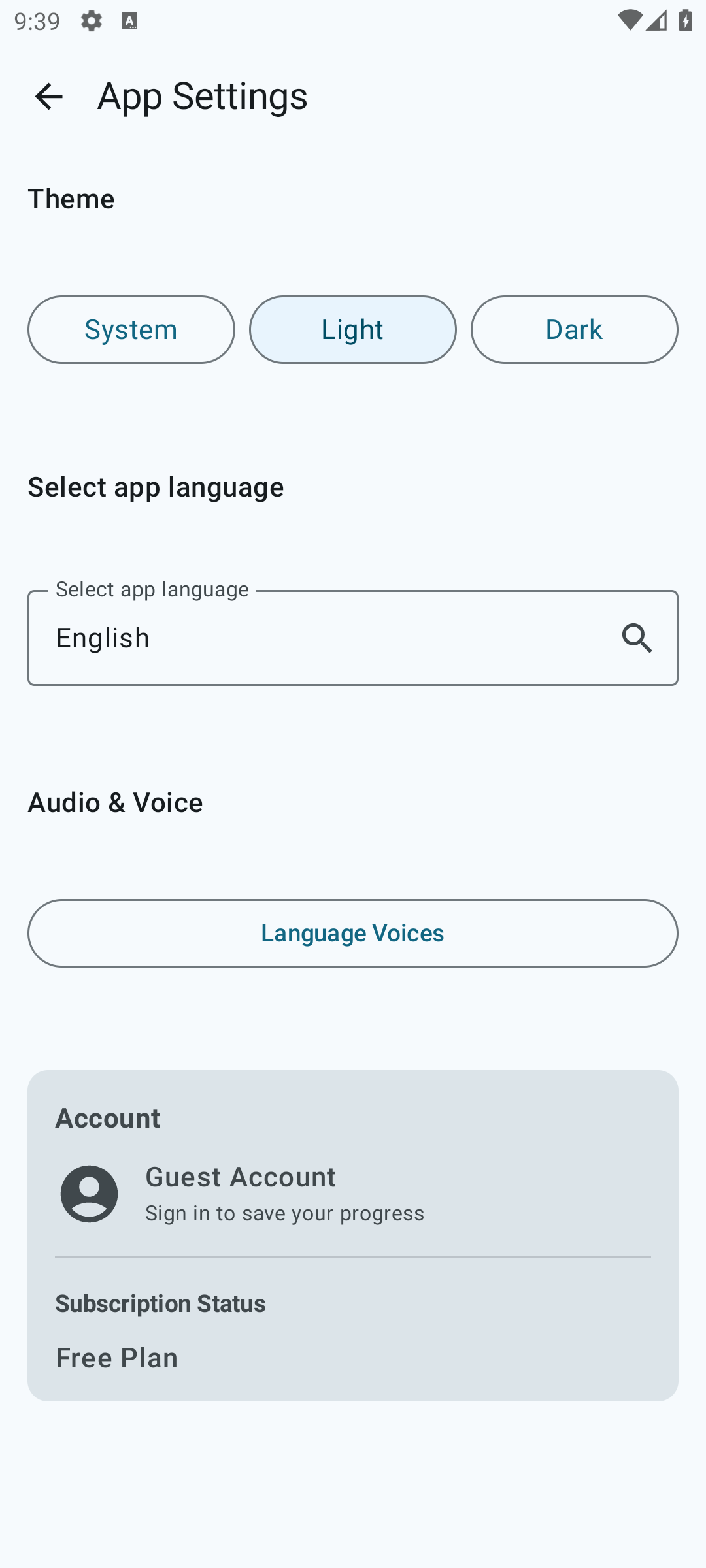
Settings has a dedicated “App language” section. There you’ll find a dropdown with all the locales the interface has been translated into. Pick the one you want — the app will redraw immediately.
How do I select or change the voice that reads the cards? No. 21
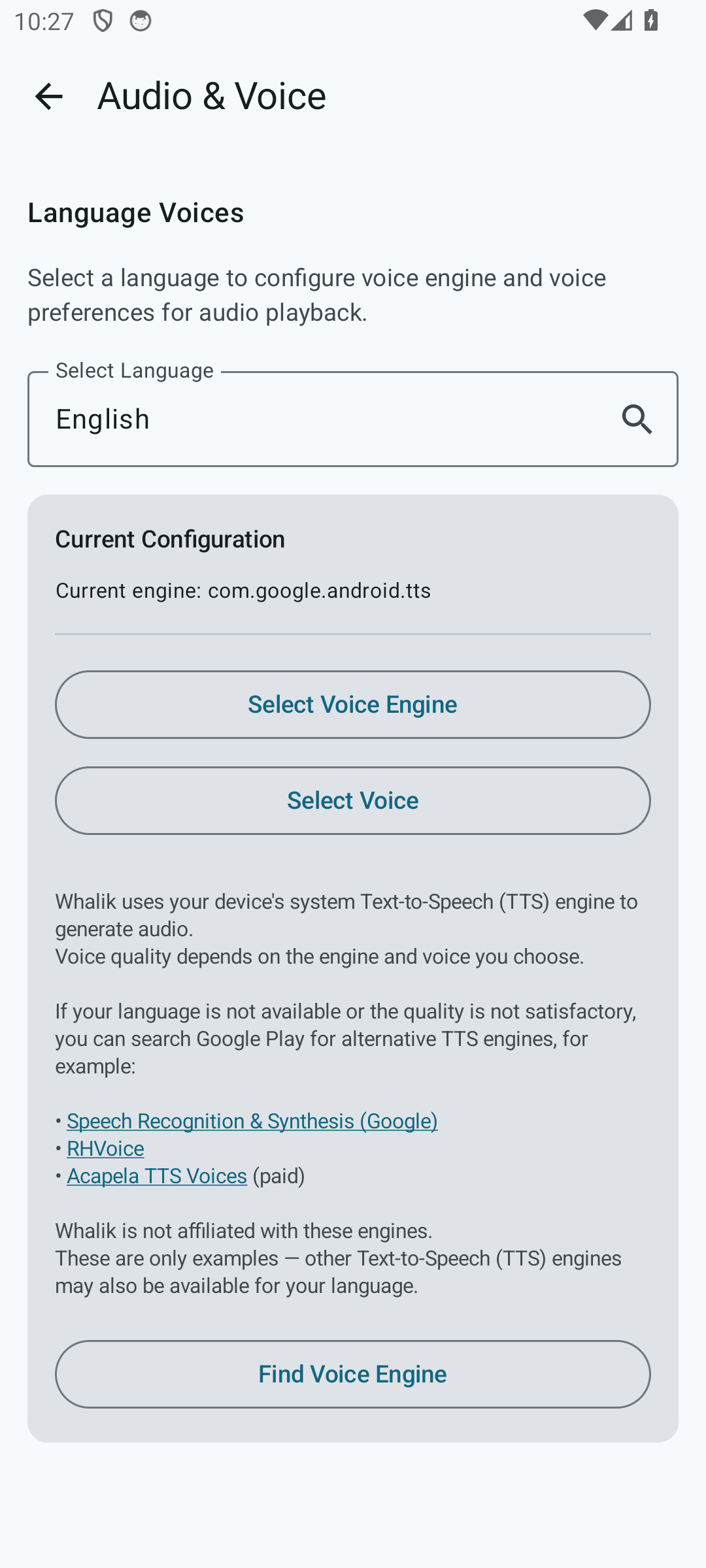
By default you don’t need to choose anything. Whalik itself picks a text-to-speech engine and voice for each learning language from those available on the device, preferring higher-quality options. Usually this is enough to start learning right away. The settings below are only needed if the automatic choice doesn’t suit you, or if no narration was picked for a particular language.
- In Settings, open “Audio and voice” → “Language voices”.
- Pick the language you want from the list. All supported languages are available — this list is not limited to what’s installed on your device.
- Choose a text-to-speech engine that supports this language. Most devices come with Google Text-to-Speech preinstalled; if you’ve installed additional engines that support the selected language (such as Samsung Text-to-Speech or RHVoice), they will also appear in the list. If none of the engines available on the device supports the selected language, the selection button will be inactive — in that case you can install a suitable engine via the Google Play Store.
- Pick a specific voice. How many voices are available, and which ones, depends on the engine and language: sometimes the choice is limited to a single voice, sometimes there are several male and female options.
- Tap the “Preview” button to make sure the voice sounds the way you expect.
The voice setting is remembered separately for each language. That is, English cards may be read by one voice, and Spanish cards by a completely different one.
Tune Whalik to your liking
Theme, language, voice — all settings are available from the first launch.